

branch, commit sha, owner and more when executing the test --record and deploy commands. This way you can keep track of
your test sessions and deployed resources in the UI and cross-reference them with any updates to your code.
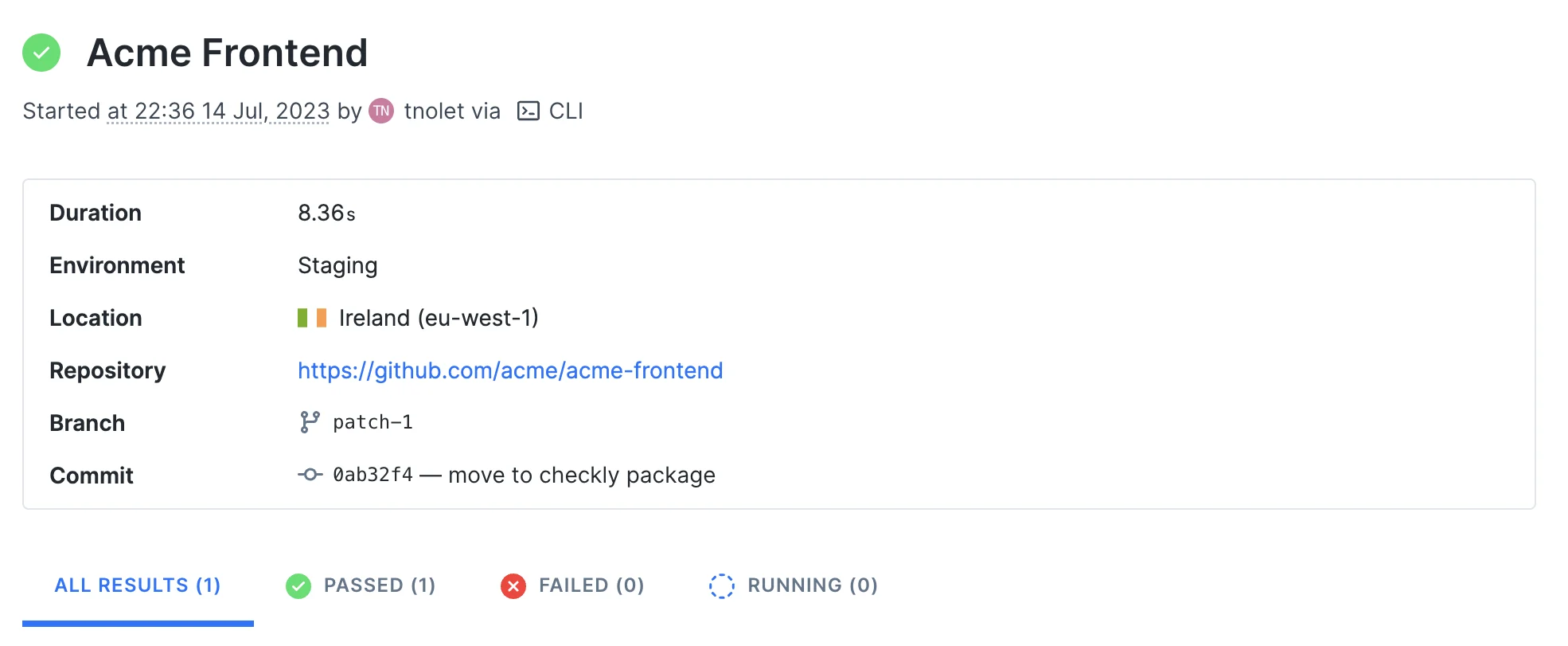
For example, in the screenshot below we ran a test session from our CI server after the project was deployed to our
Staging environment with the npx checkly test command.
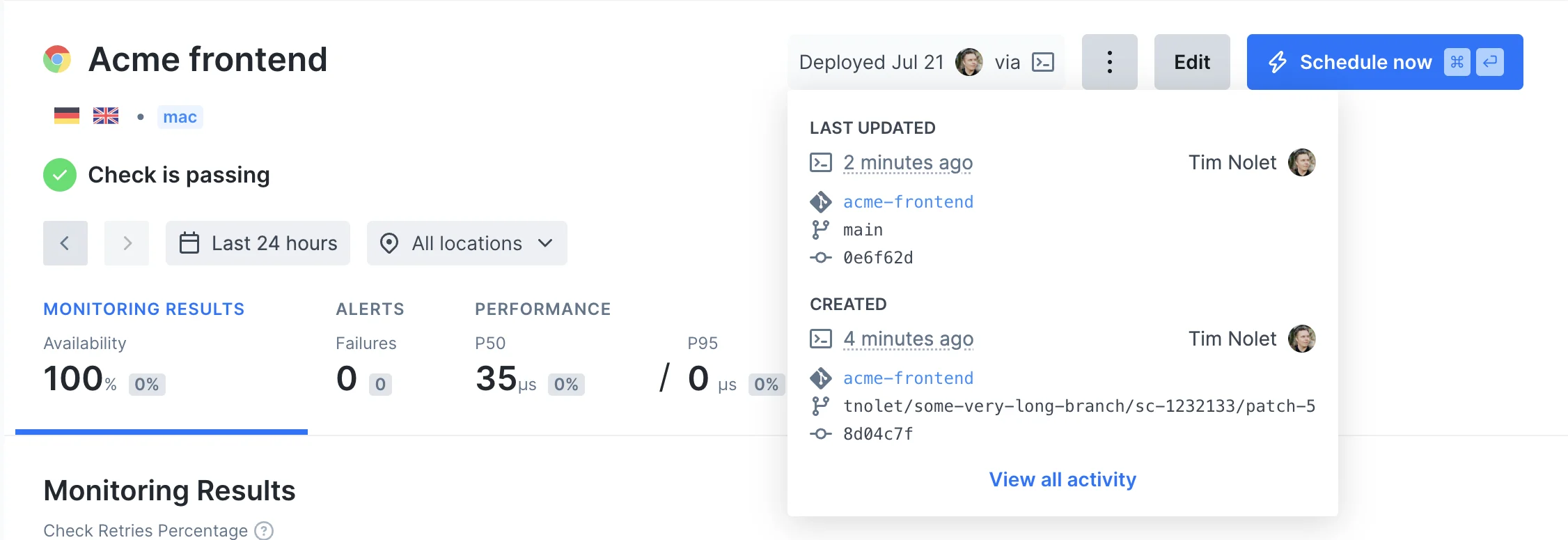
npx checkly deploy.
Environment variables
The CLI will attempt to auto-detect and parse git specific information from your local machine or CI environment, but you can also set these data items specifically by using environment variables.| Item | Auto | Variable | Description |
|---|---|---|---|
| Repository | false | repoUrl in checkly.config.ts or CHECKLY_REPO_URL | The URL of your repo on GitHub, GitLab etc. |
| Commit hash | true | CHECKLY_REPO_SHA | The SHA of the commit. |
| Branch | true | CHECKLY_REPO_BRANCH | The branch name. |
| Commit owner | true | CHECKLY_REPO_COMMIT_OWNER | The committer’s name or email. |
| Commit message | true | CHECKLY_REPO_COMMIT_MESSAGE | The commit message. |
| Environment | false | CHECKLY_TEST_ENVIRONMENT | The environment name, e.g. “staging” |
Terminal
Terminal